Your collection, from anywhere
What's new in Kist 1.4
Kist 1.4 is about the collection you already own, not just the next photo. Bring in what you already catalogued elsewhere, add a piece without a photo when you already know what it is, and put the AI's reading next to your own instead of over it.
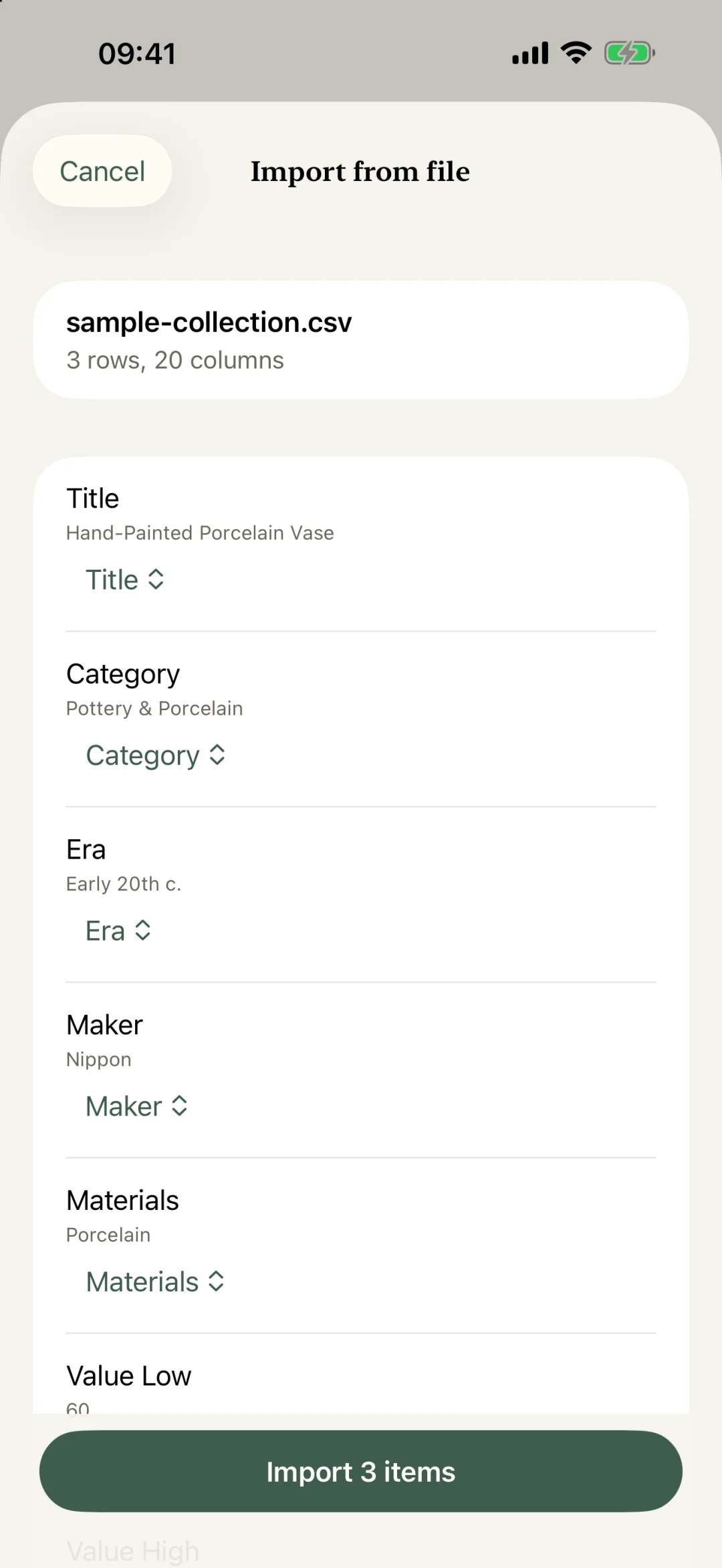
Import your collection from a file
Drop in a CSV from a spreadsheet, another app, or years of your own notes. Kist reads the header row, maps each column to a field automatically, and asks you to confirm before anything is saved.
Columns it does not recognize are not thrown away: they come along under their original names and come back exactly the same way when you export later. Open a file from Files, Mail or Numbers with "Open in Kist," or drag one straight onto your collection.
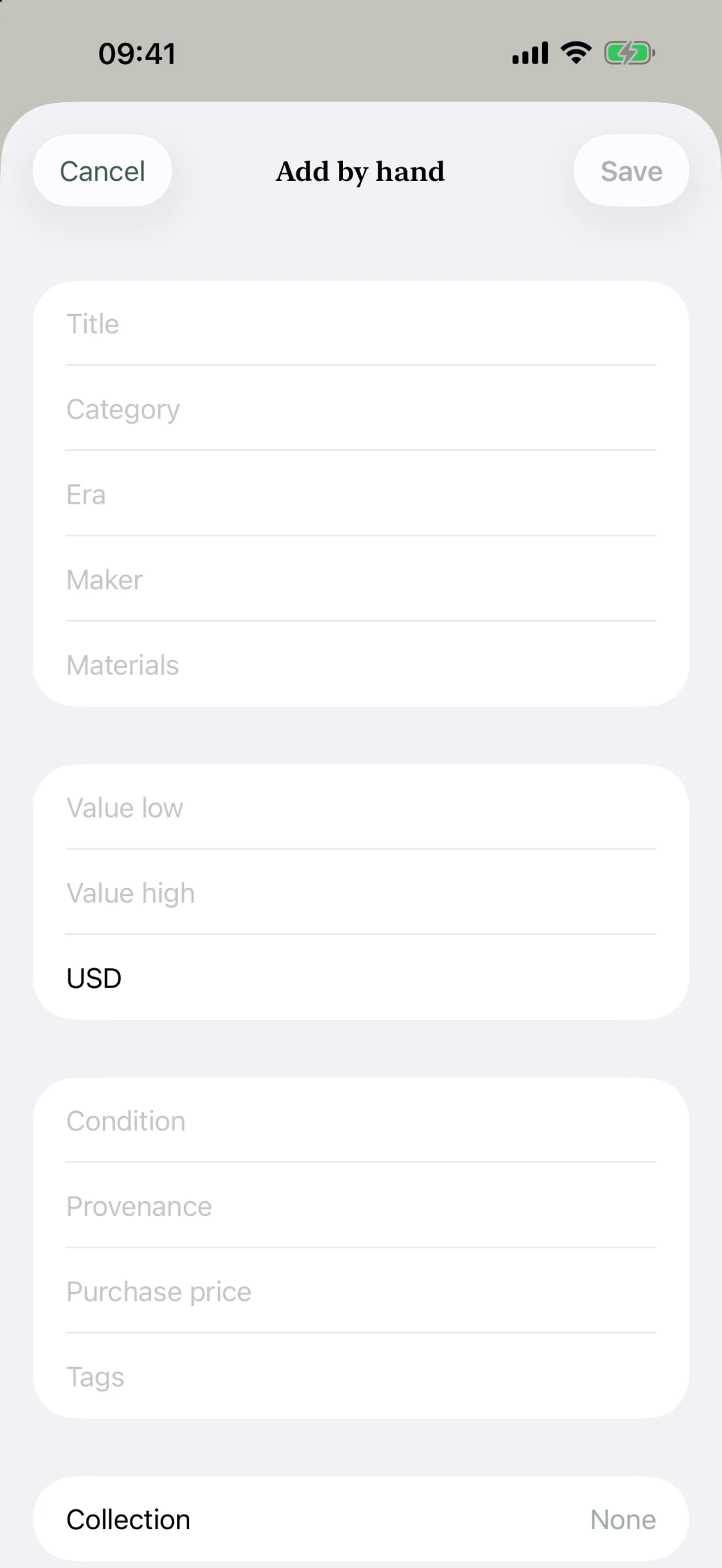
Add pieces by hand
Not everything starts with a photo. If you already know what a piece is, its era, or what you paid for it, type it straight in. Only the title is required, and every field stays yours to edit later.
It is the same collection either way: a piece you add by hand, import from a file, or identify from a photo lives in one list, with one honest value range.
A second opinion from the AI, beside your details
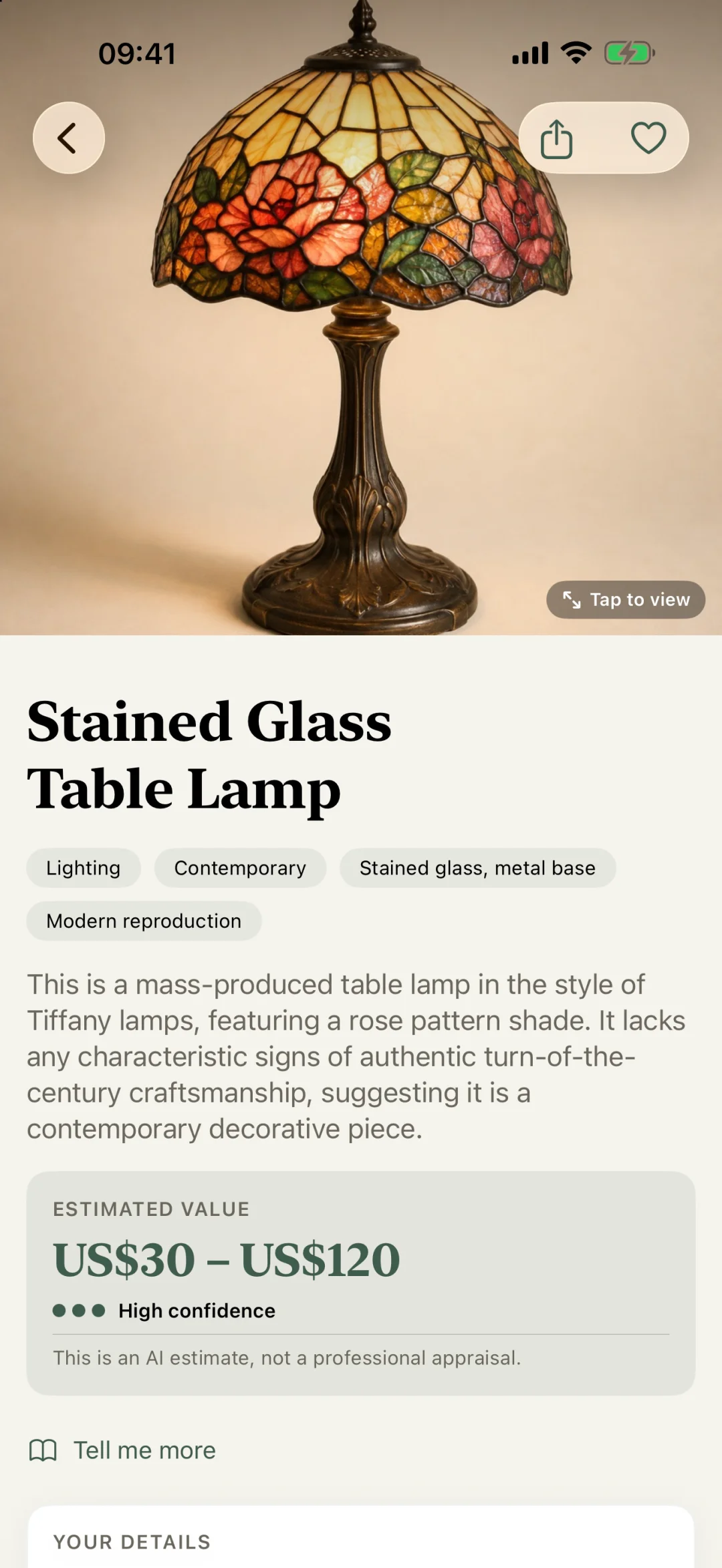
Once a piece has a photo, you can ask the AI for its own read on it: what it thinks it is, its era, its materials, and its own value range with a confidence score.
That reading sits next to your details, never on top of them. Your title, your condition notes and your price stay exactly as you wrote them. A simple picker switches between "Yours" and "AI opinion" on the same piece.
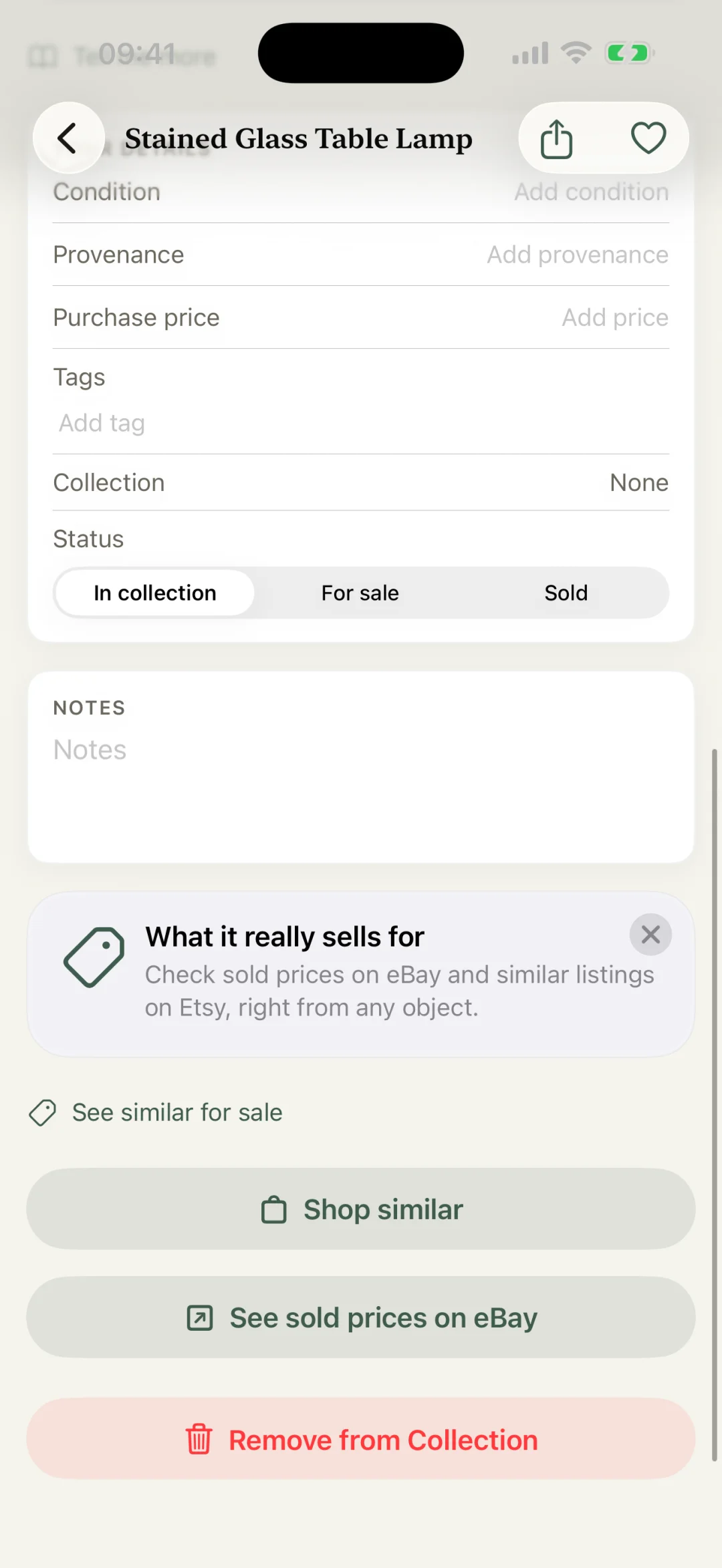
Compare with the market from either reading
From your own details or from the AI's second opinion, the same market links are right there: similar pieces for sale and sold prices on eBay, a tap away, for whichever reading you are looking at.
Export exactly what you pick
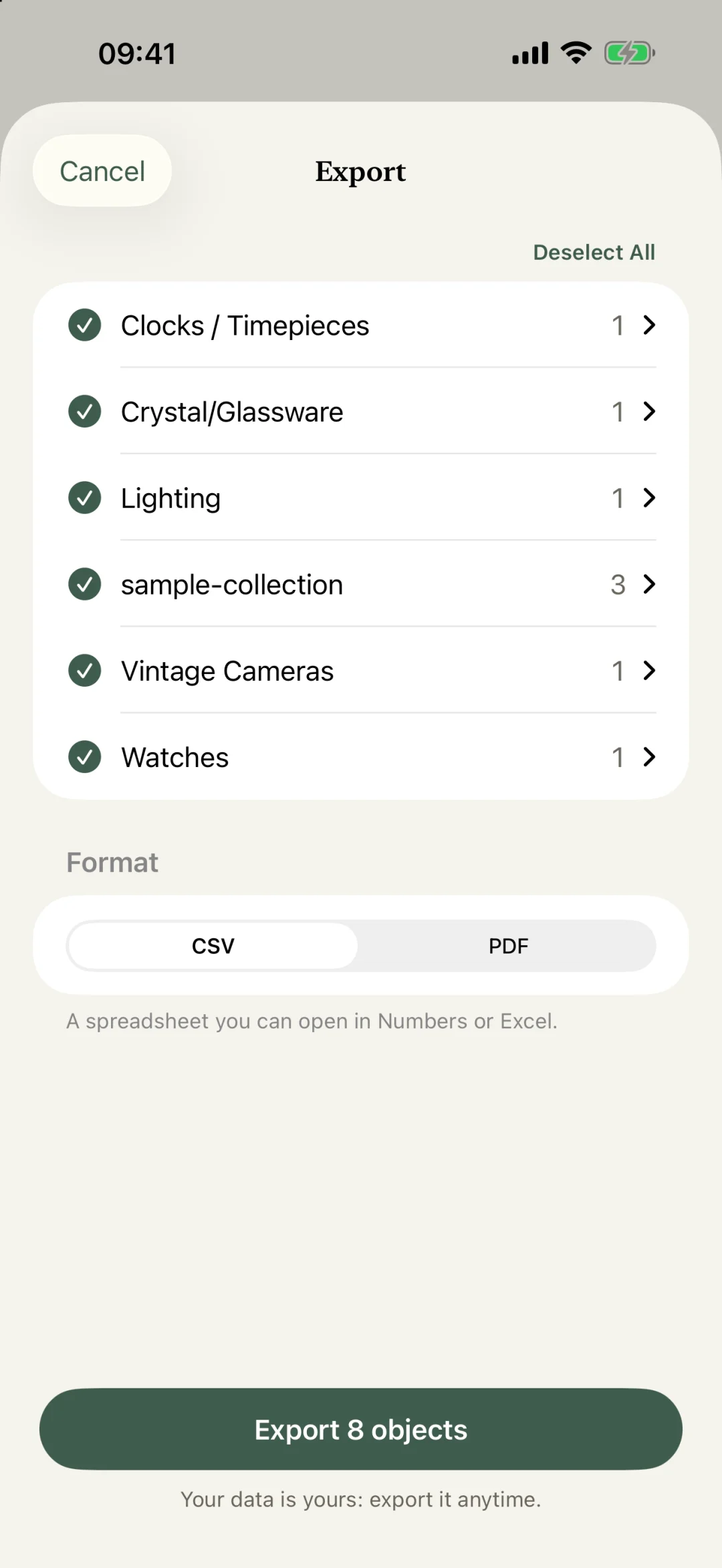
Pick pieces one by one, by category, or everything at once, then export to CSV or PDF. Columns Kist did not recognize on import come back under their original names, so the file you get out still makes sense without Kist.
Still a range, still honest
Every value in Kist, from a photo, from your own notes, or from the AI's second opinion, is a range with a confidence score, never a single number dressed up as precision. Every result says the same thing: this is an AI estimate, not a professional appraisal.
Identifications stay free to try, no credit card asked for them, and there are still no ads anywhere in the app.
Get Kist

iPhone, iPad and App Store are trademarks of Apple Inc., registered in the U.S. and other countries.